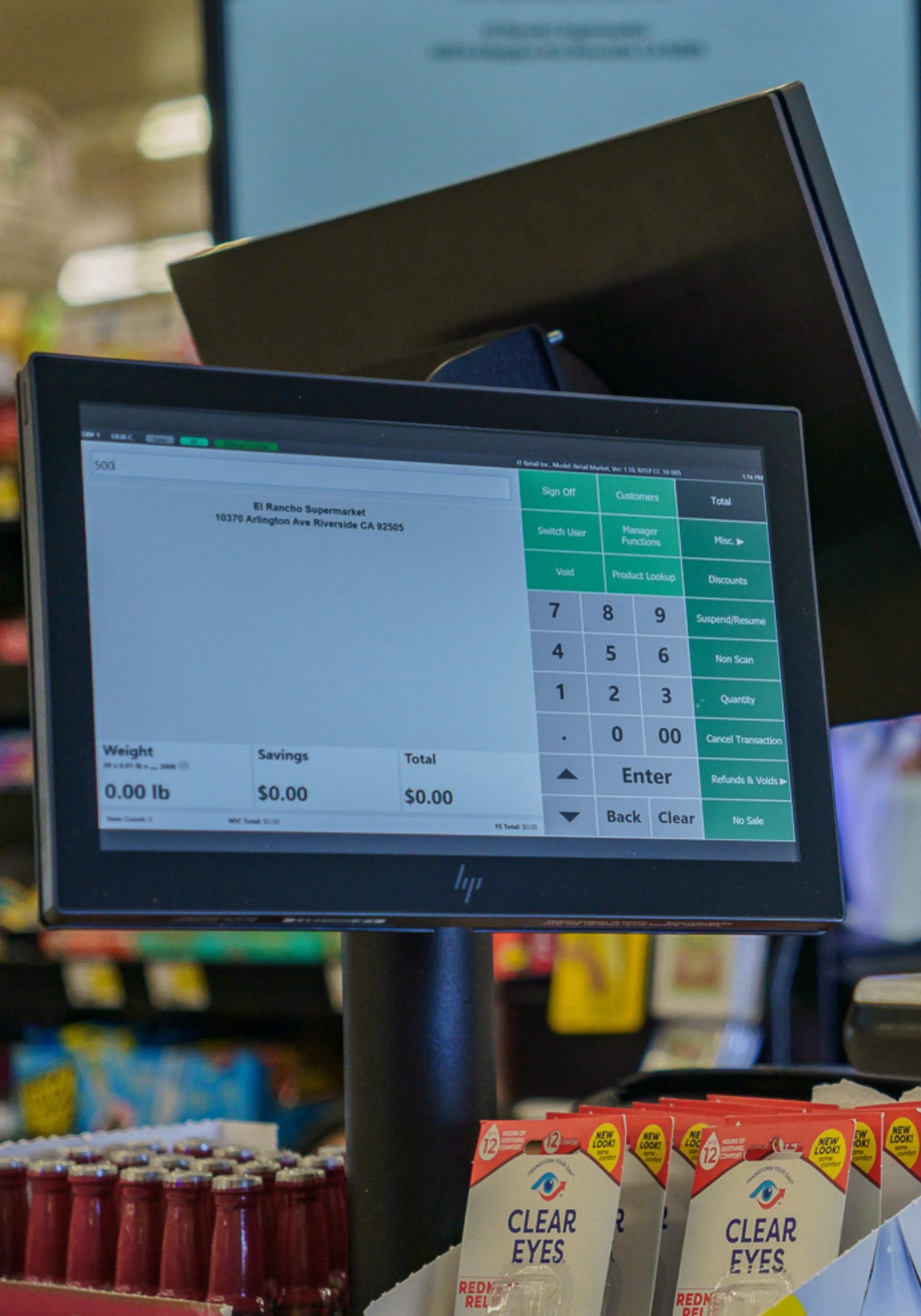
Let's face it.
The grocery point of sale options on the market are endless.
There are hundreds of manufacturers selling thousands of products, from simple receipt printers to wireless tablets to payment terminals.
How do you know what's right for your grocery business? And how do you even know which products you need?
That's where we come in. We're grocery experts and point of sale experts — and we're here to help.
In this guide, we’ll cover topics like:
- Different pieces of POS hardware, and how they work
- The difference between top-of-the-line models and less-expensive models
- Whether you should pay more for a premium brand or save your money
Let’s get started!
Touchscreen monitor
A touchscreen monitor — also known as a terminal or a touch PC — is a touchscreen interface used to handle frontend tasks like checking out customers, looking up items, and applying discounts.
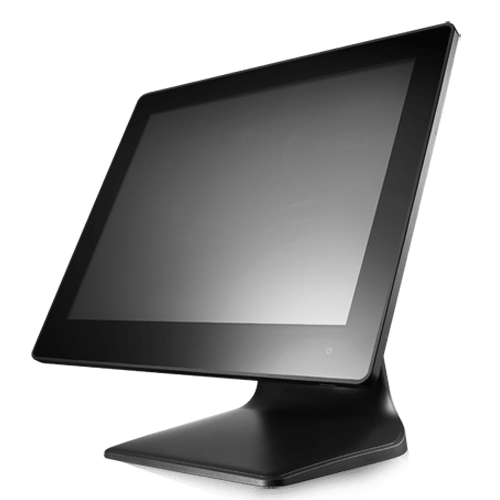
What are the minimum specs for a touch PC?
We recommend having at least 4GB of RAM and at least a 1.3 GHz processor. We also recommend using capacitive touch technology, rather than resistive touch.
Your POS software determines the minimum computing specifications you need.
Why do prices vary so much?
Touchscreen monitors can vary in price drastically, ranging from hundreds of dollars to thousands.
Prices can vary significantly based on computing power, the brand, and the durability. While there are consumer-grade options out there, they can’t withstand the daily usage of a point of sale (especially for a grocery store).
Card reader
A card reader (also called a PIN pad) is a device that lets a customer tap, insert, or swipe their credit or debit card. These devices work using near field communication (NFC) and can usually be used for contactless payment apps as well.
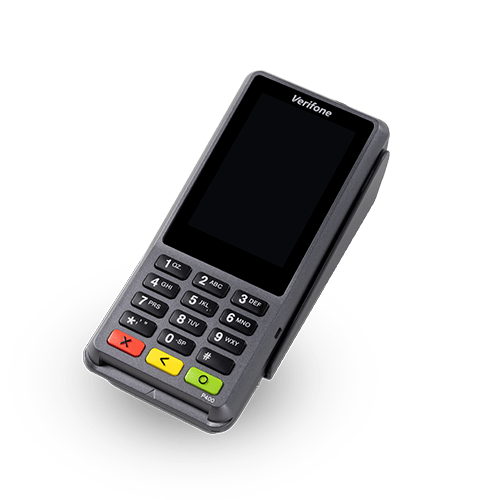
How does a card reader work?
Card readers allow customers to use their debit or credit cards either through swiping the barcode (which usually requires customers to provide a signature), inserting the card, or tapping the card via contactless payment.
Most modern card readers can seamlessly accept all three styles of payment.
Can card readers take EBT payments?
Yes. EBT and SNAP compatibility is handled primarily on the software side of the POS system, not the hardware. So assuming your POS system has integrated EBT payments, you'll be able to use the same card reader for both regular and EBT payments.
Cash drawer
POS technology gets better all the time, but the one piece of hardware that remains constant is the metal box used to securely store cash. The cash drawer takes the brunt of everyday wear and tear, so it’s common to need replacement parts such as tills, mounting brackets, and spare keys.
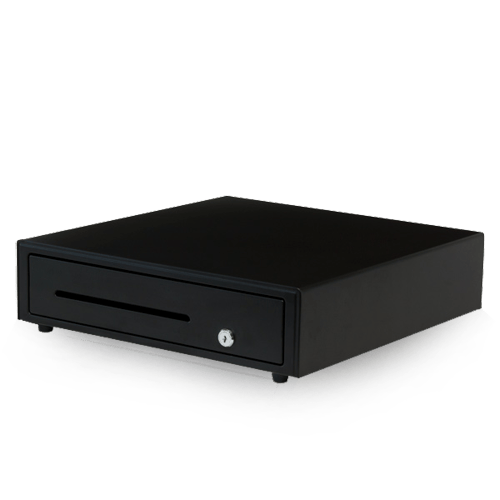
How do cash drawers pop open?
A cable connecting the receipt printer to the cash drawer prompts the drawer to open when a cash transaction is completed. The cable looks like a phone line, and is specific to your brand of printer. If a cash drawer won't open, it's likely that the drawer isn't connected to the receipt printer.
Are all cash drawers the same?
Basically. Some cash drawers are built with reinforced metal and others can be mounted, but they're all essentially the same — though you can find them in different dimensions.
We don’t sell them often, but there are also cash drawers that bypass the receipt printer and plug directly into the serial port on a computer.
How much do cash drawers cost?
Typically, a commercial grade cash drawer ranges in price between $100 and $300 dollars.
Receipt printer
To print sales transaction records, you need a receipt printer. There are two types we recommend, and the one you choose should be based on your business’ needs. These include:
- Thermal printers
- Impact printers
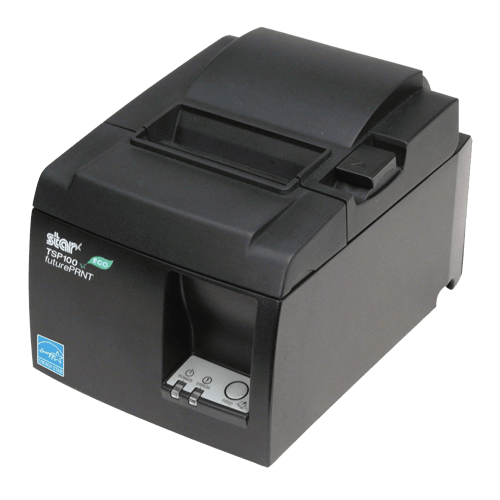
What's the difference between thermal and impact printers?
Thermal printers produce a printed image by selectively heating thermal paper (receipt paper) when the paper passes over the thermal print head, darkening in the areas where it's heated. Since the paper is heat-sensitive, there is no need to purchase ribbons. Thermal printers have a more defined print, are quieter, and are usually about seven times faster than other printers used in grocery point of sale systems.
Impact printers rely on forcible impact to transfer ink to the media, similar to a typewriter. Unlike thermal printers, impact printers require ribbons which come in one-color or two-color formats. Two-color formats are typically used so that the system can print modifiers in red — perfect for prepared food orders. Impact printers can also handle multiple copies of paper using carbonless copies, so you have two to three copies for each print.
Which type of printer do you recommend?
We recommend thermal receipt printers for basic use, because they print faster and quieter. However, if temperature is a factor, we recommend an impact printer — think of outdoor markets that might have printers set up in the heat of the sun. The two-color format of impact printers is also useful for businesses like grocerants, as it can easily distinguish modifiers for food orders.
What are some popular receipt printer brands?
Epson, Star, Citizens, POS-X, and HP all make quality receipt printers.
Are receipt printers plug-and-play?
It depends. If you purchase your receipt printer separately from your POS system, it will likely not be plug-and-play — you need to install the correct drivers so the printer can talk to the computer.
How much do receipt printers cost?
The price of receipt printers can vary depending on the type of printer, connectivity, and additional features. An entry level printer costs around $100 and more advanced models can run closer to $400.
Barcode scanners
A barcode scanner is an electronic device that reads printed barcodes. It includes a light source, a lens, and a sensor that translates optical impulses into electrical ones. There are tons of scanners available on the market, including pen-type readers, laser scanners, CDD readers, and camera-based readers.
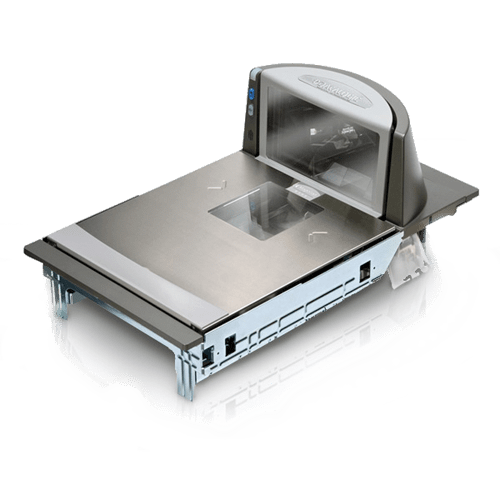
How does a scanner work?
Scanners typically use laser beams to reflect light off a barcode. To read the barcode, the scanner measures the intensity of the reflected light. Scanners only read what is put in front of them and they do not associate UPC codes with a specific inventory item. This association is created through your POS back office.
What types of scanners are there?
The most basic scanner is a wired handheld 1D scanner. These scanners read 1D barcodes (traditional barcodes with black and white lines) and typically have to be placed directly in front of the barcode.
A 2D scanner has the ability to read the increasingly popular 2D barcodes, such as QR codes. Some 2D scanners are also equipped to scan IDs for alcohol and tobacco sales. Note: All ID scanners are 2D, but not all 2D scanners can read IDs.
Presentation-style scanners are not shaped like the traditional gun-style scanner. Instead, these devices are made for the barcode to be presented in front of the scanner — as opposed to the scanner being presented in front of the barcode. (Think of how you quickly scan produce and other smaller items.) Presentation-style scanners are typically bi-optic, meaning they can read barcodes better. Not surprisingly, these models are more expensive than the traditional scanner.
In-counter scanner scales are what you see at the checkout register of your local grocery store. Scanner scales are presentation-style scanners that use bi-optic technology to scan barcodes, which means they contain both a vertical and horizontal scanning surface. This design maximizes efficiency and allows clerks to draw a product across the scanner scale at almost any angle to read the barcode. Then, on the same scanning surface, the product can be weighed and priced. Think of produce sold by weight at your grocery store. Although expensive, these scales are absolutely necessary for high-volume retailers like groceries.
Which scanner is right for my business?
It depends on your business flow. Grocery stores are high-volume businesses, and often benefit from using presentation-style scanners — particularly scanner scales. Presentation-style scanner scales are the most efficient because clerks can use two hands to slide products in front of the scanner, and also weigh an item if needed. Because these scanners can read barcodes from almost any angle, checkout speed is dramatically increased.
If you sell large, bulky products that cannot be presented to the scanner (like a case of water), then you may also need a more traditional gun-style device. And if mobility is what you’re seeking, wireless is your best choice.
Is there a big difference in price?
Yes. Basic handheld scanners cost less than $100, while advanced models can cost over $1,000. But if you're a high-volume grocer, a high-quality scanner or scanner scale easily pays for itself by reducing lines and checkout times.
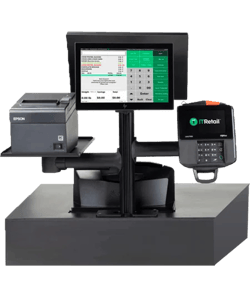
Build your perfect POS system
Whether you're looking for a full equipment overhaul or some key upgrades, IT Retail has you covered. Try our Build & Price tool to get a custom quote on grocery store POS hardware.
Barcode & label printer
Barcode and label printers let you create adhesive labels that can be used as shelf tags and barcodes. Embedded barcodes can be used to scan catch-weight items, prepared foods, or other nonstandard items.
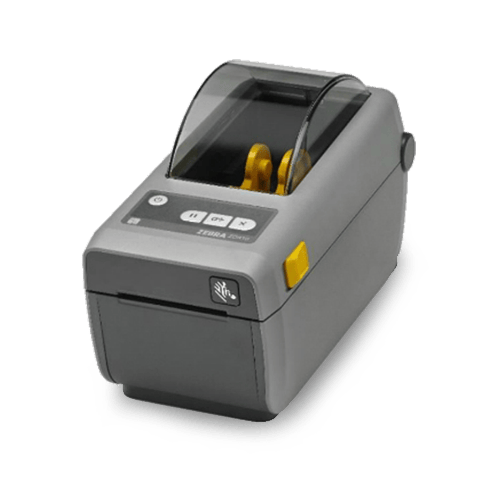
What type of label printers are there?
There are two primary variables that differentiate label printers. The first is size. Most label printers are either 2 inches or 4 inches wide, with the 2-inch model being the most common. The second distinguishing factor is the technology used to print the label. Label printers can use either thermal transfer or direct thermal technology to print the labels.
What is the difference between direct thermal and thermal transfer?
Direct thermal printers use heat-sensitive paper that darkens when exposed to heat. While printing, the printer head directly contacts the labels and uses heat and pressure to mark the label. These models are slightly cheaper and have longer durability, but the labels are affected by heat and can darken over time.
Thermal transfer printers use carbon ribbons and heat to impact the labels while printing. This method results in a crisper print and a label that can withstand heat and sunlight. However, this setup also requires that the ribbon and print head be replaced more frequently.
Do I need a direct thermal printer or a thermal transfer printer?
It depends. Ask yourself the following questions:
- Will your labels be in a hot environment or exposed to direct sunlight?
- Will you be printing labels with any colored text other than black?
- Will your labels be in place for over one year?
If you answered yes to any of these questions, then a thermal transfer printer is what you need. Thermal transfer printers are slightly more expensive, but if they fit your specific needs, the extra cost is worth it.
What kind of labels can I print?
Select from a collection of modules and quickly populate and draft website and landing pages right to HubSpot.
Can I print labels in batches?
Yes! Grocery POS software will allow you to set print queues for all products with updated pricing so you can set pricing and then print all the labels you need at once.
There are also mobile label printers, which lets scan and print from the sales floor.
Customer displays
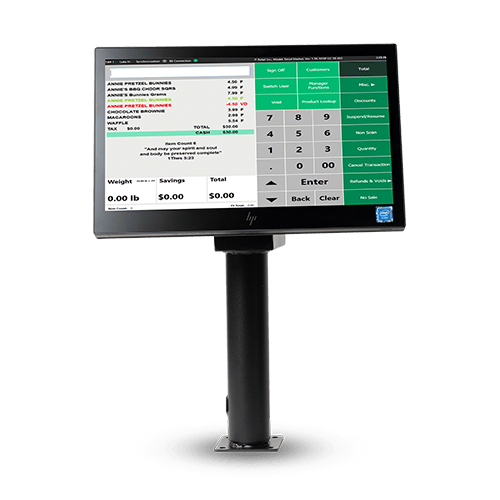
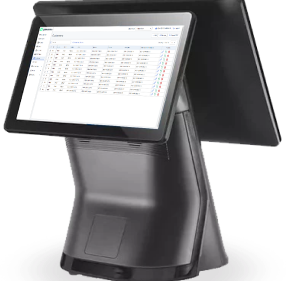
Customer displays show information about retail items and prices. They usually stand alone with a weighted base that can be extended to different heights. They can also be mounted to the rear of the POS terminal.
What are the different types of customer displays?
For a long time, customer displays were limited to simple dot-matrix display, which showed two lines of green text on a black background.
Now, popular models display graphics on a full-color LCD screen. These screens are small monitors that can project pictures, text, and videos. LCD models aren't much more expensive than the old dot-matrix style, so we encourage our customers to make the upgrade.
What's the difference between a pole display and a rear display?
The only difference between these two models is how the display is mounted to the system. A pole display (pictured left) is mounted on a pole and can be positioned anywhere near the POS system. A rear display is mounted directly to the back of the POS system, which requires the point of sale to be placed directly in front of customers.
Do I need a customer display?
Some states require customer displays. If you are located in a “customer display free” state, then you don't necessarily need one, but it's a nice feature to incorporate into your system. Customers can see prices as items are rung up, which gives them confidence in their purchase — which is especially important with high-volume grocery transactions.
If it's not required, do I still want a customer display?
Yes! In our opinion, the customer display is one of the most underutilized piece of hardware on the market. When not in use, the display can be programmed to run custom videos and graphics. Merchants can even supplement partnerships with their vendors and get paid to run their ads — or advertise their own in-store promotions and specials on the display.
Deli scales
Scales are a necessity for grocery stores that have a deli or butcher counter — and when your scale and POS system communicate seamlessly, you’ll save time and money and avoid mistakes. There are several types of scales, and you need to understand the differences in order to determine which one best suits your business.
.png?width=500&height=542&name=deli%20scale(1).png)
How does a deli scale work?
Unlike scanner scales, which we covered earlier, deli scales work independently from the touchscreen and register. This allows you to weigh out and item and print an embedded barcode that a customer later scans at checkout.
The general flow for scanning is:
-
Place item on the scale.
-
Enter the PLU.
-
Print the label with an embedded barcode.
-
Scan the printed label at the POS.
How is product information updated?
Scales need to be periodically updated with product information from the grocery back office. This is done in one of several ways depending on what scale you have.
If your scale is network connected, you can sync updates directly from the back office to the scale.
If your scale is not network connected you'll either have to use a third-party service like ePlum and Invafresh, or make updates manually.
What scale do you recommend?
We recommend using a network connected CAS scale. These scales integrate directly with our POS system for seamless updates. Though not the cheapest option, it saves a significant amount of time and money that's usually spent on third-party or manual product updates.
Mobile inventory device
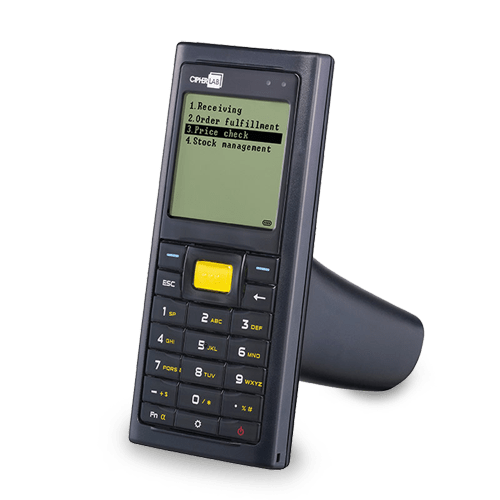
A mobile inventory device can help speed up receiving and stock counts, or allow you to make price updates from the sales floor.
What are the advantages of a mobile inventory device?
A mobile inventory device can help you speed up stock counts, and let you receive inventory on the fly. The most helpful aspect of a mobile inventory device is that it can pair with a label printer to print shelf labels while on the floor.
Can I use my smartphone instead?
Yes! Because many systems, including IT Retail, are cloud based you can access the back office from any internet-connected device. In many cases, you can use your phone's camera to scan UPC codes for cycle counts. However, you would still need a mobile printer to print shelf labels or barcodes.
Self-checkout
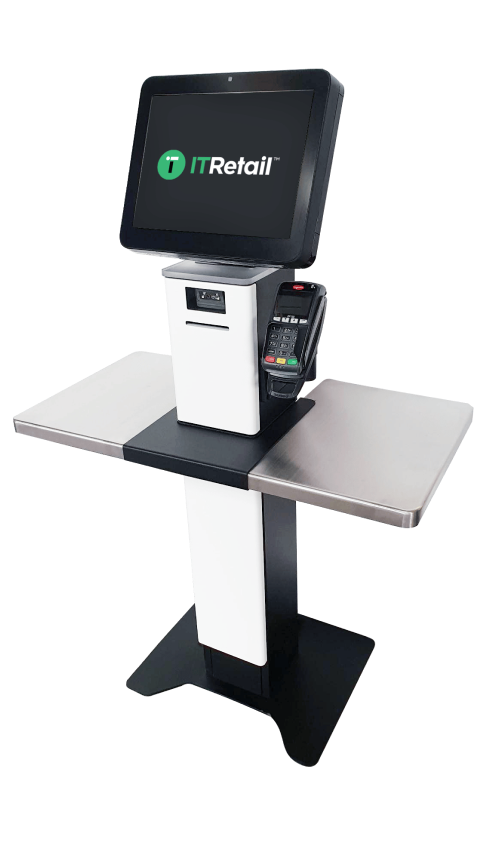
Self checkout isn't a good fit for every store, but in some cases it can significantly speed up checkout and give customers a convenient self-service option. Some POS providers can convert the standard touchscreen into a self-checkout stand, others require dedicated hardware.
Do you need separate hardware for self-checkout lanes?
It depends. Many POS providers have specific setups for self-checkout. Some systems, including IT Retail, have standalone self-checkout setups as well as the option to convert a standard touchscreen into a self-checkout interface.
What's included in a self-checkout stand?
A self-checkout stand needs most of the same items as a regular checkout lane, including:
- Touchscreen
- Card reader
- Receipt printer
- Scanner scale (for scanning items and weighing produce and other weight-based items)
In many cases, stores opt to make self-checkout card only, as self-checkout requires specific cash counting hardware to work.
The main difference with a self-checkout station is in the software, which can be remotely monitored for when customers need assistance or need staff overrides for mistakes or to check ID on age-restricted items.
Can customers pay with EBT at self-checkout?
Yes. As long as your system supports split tenders, it can process SNAP-elligible items using EBT and then pay the rest on a