





Grocery shrinkage — also called retail shrink — is any inventory loss that isn't the result of a sale. It includes theft (by customers and employees), spoilage of perishable goods, administrative and scanning errors, and return fraud. In 2024, global retail shrinkage was projected to reach $132 billion, and for independent grocery stores where margins are already tight, even a 1% shrink rate can make the difference between a profitable and unprofitable year. This guide covers how to calculate your shrinkage rate and six proven actions to reduce it.
If you’re not sure how to get a handle on shrinkage, you’re not alone — but you’re not helpless. In this article, we’ll cover:
- The impact of grocery shrinkage
- How to calculate shrinkage rate
- Six actions you can take to minimize shrinkage at your store
By following grocery store management best practices and using the right tools, your shrinkage worries can finally take a backseat to more important issues.
How Big of a Problem Is Grocery Shrinkage?
Shrink refers to any reason your inventory decreases other than sales.
Some of the top causes of shrinkage in grocery stores include:
- Operational Errors: Accidents and errors like incorrect pricing or scans can lead to undercharging at the register. These losses are particularly tricky because, without careful auditing, they are invisible.
- Customer theft: Shoplifting and poor security are common causes of shrinkage in grocery stores. Customers may attempt to conceal items or manipulate price tags to avoid paying the full amount.
- Employee theft: Unfortunately, employee theft can also contribute to shrinkage. This can include stealing products, manipulating transactions, or providing unauthorized discounts to friends and family.
- Spoilage: Perishable items that expire or become unsellable due to improper storage or handling can lead to significant losses.
- Inventory errors: Mistakes in receiving, stocking, or recording inventory can result in discrepancies between actual stock levels and recorded data.
- Return Fraud: Return fraud occurs when customers intentionally return stolen goods for credit, exchange items purchased elsewhere, or otherwise take advantage of your store’s return policies. Strict return approval procedures are needed to mitigate these challenges.
In 2024, global retail shrinkage was projected to reach $132 billion, up from $112 billion in 2022 — and the NRF scrapped its annual shrink report for the first time in over 30 years in 2024, shifting its focus to the shoplifting, organized crime, and workplace violence now dominating retail losses. For grocery stores, the problem is compounded by spoilage: around 30% of all items in grocery stores end up in the trash, making perishable shrink as significant a threat as theft for most independent grocers.
How To Calculate the Shrinkage Rate at Your Grocery Store?
Find your business’ shrinkage rate by following these two steps.
Step 1: Calculate Shrinkage Value
First, you want to figure out how much you’ve lost. Do that by taking:
(The recorded value of the product in inventory) – (The actual value of products on your shelf)
In other words, does the inventory you should have match what you do have? You can do this in product value or total number of units.
Step 2: Calculate Shrinkage Rate
Once you know the value of your shrinkage problem, you can calculate the shrinkage rate at your store by using the following formula:
(Value of loss ÷ Total sales for the period) x 100 = % shrinkage
Many modern inventory management tools can calculate your store’s shrinkage rate automatically.
An “acceptable” shrink rate lies somewhere between 1-1.5%. That said, shrink can vary significantly by location or even department.
How to Reduce Grocery Shrink? 6 Action Items
Experts don’t agree on the biggest cause of retail shrink in grocery stores. Theft is still a huge problem, but boiling shrink down to shoplifting and organized retail crime alone paints an incomplete picture. It’s important to attack grocery shrinkage from all angles.
Here are six actions you can take to help reduce your shrink.
1. How Does Inventory Management Help Reduce Grocery Shrinkage?
It’s nearly impossible to get a handle on grocery shrinkage if you can’t see the problem clearly. When you rely on quarterly or semi-annual inventory counts, by the time you find a problem, it will be too late to do anything about it.
Instead, modern inventory management tools allow you to combat shrinkage by monitoring stock levels in real time while also reducing errors from manual inventory tracking.
Related Read: Grocery Store Inventory Management System: 5 Features [+ 5 Tips]
Implement barcode and mobile scanners to streamline your data entry and ensure items are entered into the system correctly. Barcode scanners help maintain detailed records of inventory as it moves through your store. Pair this with regular inventory audits to identify trends and recurring problems.
Shrinkage reports on your point of sale (POS) system can also give you an instant look at your inventory shrink and help identify patterns. Taking a data-driven approach to inventory management isn’t just good for reducing shrink, it can also help you maximize profits by:
- Preventing overstocking and understocking
- Streamlining vendor management and restocking
- Helping with demand forecasting
While adopting new technology can be intimidating, the benefits far outweigh the risk. Far from complicating your day-to-day, inventory management systems are easy for staff to learn and can save you time and money.
2. How Do You Reduce Perishable Shrinkage in a Grocery Store?
For the average grocery store, food waste accounts for $40,000 in lost profits. Improperly managing perishable goods — whether it’s fruit and vegetables in your produce section, meat in the deli, or ready-to-eat meals — is a big source of shrink in grocery stores and supermarkets.
Follow perishable food best practices, such as:
- Follow the first in, first out (FIFO) method: The first food items that arrive in your stock should be the first ones sold. This ensures that older inventory gets sold first to maintain optimal freshness.
- Track batch and expiry dates: Use your inventory management system to track the expiry dates of various items in one system so nothing falls through the cracks.
- Size displays correctly: Displaying huge stacks of produce might look nice but may not be ideal for your customers’ needs. It can also lead to large amounts of produce that are never sold. Keep the sizes of your food displays appropriate to customer demand.
- Monitor your temperatures: Perishable food must be kept at certain temperatures to maintain freshness. Check evaporators in your produce section along with seals on windows and refrigerators.
- Donate your excess: If you can’t move inventory through sales or other means, then donate it! Donating food in good faith is legally protected from liability and is a great way to build goodwill in your community.
Perishable food is on a timer from when it arrives to when it’s sold. The more efficient you can make your stocking, inventory, and other processes, the better.
Related Read: Using a Meat Shop Inventory System To Minimize Waste: 4 Tips
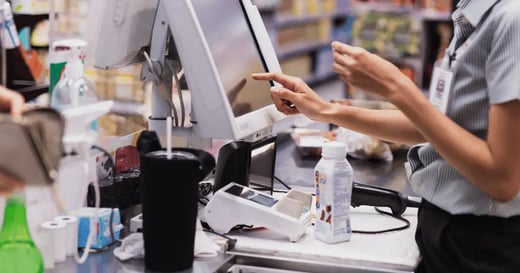
3. How Does Self-Checkout Contribute to Shrinkage — and How Do You Fix It?
Most of the time we think about theft, we think of a shoplifter covertly slipping something off the shelf into their pocket. In truth, a large amount of theft happens at self-checkout.
To combat this, have an employee monitor self-checkout, both to watch for any suspicious activity, and to help customers having problems. After all, a frustrated customer may opt to just take an item if there’s a problem at checkout and no one is around to help them pay for it.
While it may sound farfetched, there can also be unintentional theft at self-checkout.
For example, a shopper goes to purchase an apple. They look up “apple” on the self-checkout terminal, weigh it, and pay for it. But, it was actually an organic apple and you’ve just lost money on the sale. Whether it was intentional or not, this will contribute to the shrink rate.
There are a few ways to combat this.
Making customers manually look up items is tedious and error-prone. Instead, print custom labels using your POS system so customers can easily scan any item in the store, including different types of produce. Encourage them to scan items instead of looking them up by having a reminder pop-up appear after they hit the item lookup button.
4. How Can Discounts and Promotions Reduce Grocery Shrink?
Discounts and promotions are great for marketing, but they’re also an effective tool to reduce shrink. By tracking inventory on your POS system, you can see the inventory churn rate of different products and identify slow-moving items.
Related Read: Grocery Store Inventory 101: The What, Why, and How for Inventory Success
Help drive sales for slow-moving items by using discounts. Use bright signage, inviting store displays, and custom labels to make sale items stand out. This will help you move items before they expire or prevent them from taking up space in storage.
Promotion planning should be a part of your regular inventory audits. If you discover products with a consistently low turnover rate, it may be time to change up your stock or plan a promotion to keep them moving.
Use your POS system to understand the profit margins on various items so you can offer discounts that appeal to customers without hurting your bottom line.
5. How Does Store Layout Affect Grocery Shrinkage?
Rethinking your store layout is an effective way to drive revenue — it’s also a great way to reduce grocery shrinkage.
First, it’s hard to keep an eye on customers or high-value items if you can’t see them. Install mirrors or camera monitors (more on that below) that are visible from checkout. Make sure high-value items are near checkout or somewhere where staff can keep an eye on them.
There’s another way store layout contributes to shrink: confusion. If your layout is confusing and people can’t find what they need, then they’ll go somewhere else leaving those products to sit untouched. If they can’t find something in your produce sections or meat aisles, items will spoil.
Make sure you use clear and inviting signage so shoppers can find exactly what they’re looking for.
While you can use your POS system to identify items that aren’t selling, you can also find this information the old-fashioned way. Have employees ask customers if they need help finding anything (ideally while they’re shopping, not at checkout where it’s too late). If there are certain items that come up again and again, it might be time to rethink where they’re placed.
6. Install Obvious Cameras and Anti-Theft Signs
Theft is on the rise in retail — but there’s plenty you can do to combat it. Many would-be shoplifters can be deterred by following grocery store security best practices and using the right signage and cameras.
Install cameras near your checkout areas, aisles, and outside the store. Remember, the goal isn’t to hide cameras from customers but to make them obvious. In self-checkout or near high-value items you could even install monitors that show the camera feed so customers know they’re being recorded.
Use signage outside the store and near checkout to let shoppers know that anti-theft devices are in use. Simply having anti-theft signs may be enough to put off some shoplifters. Don’t forget to train your employees to look for signs of shoplifting and know when to call a manager or the police.
Last, deter shoplifters with great customer service. Training employees to engage with customers creates a better shopping experience and lets shoplifters know that they’re being watched.
7. Audit Employee Training and Hiring
As we briefly hinted at above, your employees play a critical role in minimizing shrink in your grocery store. Investing in employee training is not often top-of-mind when combating shrinkage, but it should be.
Conduct regular training sessions focusing on theft prevention techniques, such as identifying suspicious behavior, properly handling high-value or breakable items, and following security protocols. Educate your staff on the importance of accurate inventory management, including proper product receiving, stocking, and rotation procedures.
Highlight good customer service and how it helps deter theft. When employees actively engage with customers, offer assistance, and maintain a visible presence on the sales floor, potential thieves are less likely to attempt stealing. Encourage your staff to proactively report suspicious activities or concerns to management.
Of course, you also want to minimize shrinkage due to employee theft.
During the hiring process, prioritize candidates who demonstrate strong integrity, reliability, and a commitment to honesty. Conduct thorough background checks and reference checks to verify their employment history and identify any red flags. Last, it’s a good idea to create an employee handbook that clearly outlines your store's policies on theft, inventory management, and ethical conduct.
4 Innovative Tools Helping Grocers Be More Sustainable
Luke Henry, Vice President of IT Retail, suggests that grocery stores solve the complex and costly issue of waste by leveraging emerging technologies.
He explains, “Waste is a challenging problem that was impossible to solve with technology for over 100 years. But now, with push racks, shelf cameras, and electronic shelf labels, we can get to the root of this problem and solve it.”
1. Sell Your Soon-To-Expire Perishables
The first technology on our list saves groceries from the garbage and expands your community’s access to affordable, nutritious foods.
FlashFood is an app that notifies users when grocery stores in their area have discounted inventory that’s about to expire, allowing them to stock up, save money, and make a sustainable choice.
As a FlashFood partner, you can attract these shoppers to your store, increase your perishable inventory turnover, and protect your bottom line from waste.
This unique app is truly a win for budget-conscious grocery shoppers, grocery store owners, and the planet.
2. Give Artificial Intelligence a Try
Auditing your grocery store’s waste, adjusting your inventory strategies, and keeping meticulous records of your inventory can be a painstaking process — but artificial intelligence tools designed for the grocery industry might be able to help.
One of Luke Henry’s favorite AI tools for grocers is Wasteless, which uses deli scales to add dynamic labels to all perishable items. As the dates on the items age, the prices decrease, increasing your chance to make a sale before expiration.
While implementing a tool like Wasteless might be a solid first line of defense, Henry notes that it shouldn’t be your only approach. He explains, “The problem with the Wasteless solution is that it changes consumer behavior by encouraging the sale of the item. But the ideal place to solve the waste problem is in orderings.”
Henry recommends two AI-powered tools for stocking your store more strategically: Afresh and Guac. These solutions review your store’s inventory data and identify where you’re losing the most product due to spoilage. With these insights, you can adjust your reordering process to prevent waste while keeping your store well-stocked.
3. Invest in Cutting Edge Hardware
Alongside experimenting with these back-office software solutions, Henry suggests trying out some unique tools on the sales floor. His top three picks include push racks, shelf cameras, and electronic shelf labels.
Let’s dive into each of these tools:
- Push racks: When a customer removes an item from your shelf, a push rack allows the next item to slide forward and take its place. This tool reduces waste by supporting a first in, first out (FIFO) approach, ensuring that your oldest items are always sold first.
- Shelf cameras: These smart cameras work together with software to constantly monitor your shelves and identify when products are running low. With the peace of mind these cameras provide, you’ll be able to avoid overstocking and waste while still preventing stockouts.
- Electronic shelf labels: Instead of manually replacing paper shelf labels when you’re running a deal, electronic shelf labels allow you to update product pricing instantly and from anywhere. These digital labels are particularly useful when your goal is to increase inventory turnover and avoid waste.
Leveraging these tools will put your grocery store ahead of the curve in waste reduction and advanced inventory management.
4. Rely on a Robust Point of Sale System
Finally, the most foundational step to reducing grocery store waste is relying on a powerful point of sale (POS) system. Your POS system should do the heavy lifting of managing your inventory, tracking every item from when it arrives at your store to when a customer purchases it.
Without a POS system with robust inventory management features, you’ll have to manually count your stock and record it on paper or in a simple spreadsheet, leaving the door open to errors and spoilage.
To avoid these problems, look for a grocery store POS solution with these key inventory tools:
- Real-time inventory tracking that lets you see your stock levels at any time, from anywhere
- Scale integration that enables accurate tracking of meats, cheeses, and any other items sold by weight
- Reporting and analytics that give you insights into your turnover metrics, bestselling products, and spoilage rate
Using a POS system with these features will set your grocery store up for success on your sustainability journey.
Reduce Grocery Shrinkage and Increase Your Revenue With IT Retail
Some amount of shrinkage is inevitable. There are various tools to help minimize your risk and spot issues before they become worse.
IT Retail is a best-in-class solution that helps grocery stores and supermarkets streamline operations, maximize profits, and minimize shrink. We help small to mid-sized businesses reduce grocery store shrinkage with powerful features like:
- Real-time inventory tracking: Stay on top of stock levels and reduce discrepancies.
- Custom inventory and shrinkage reports: Gain insights into your inventory trends and identify problem areas.
- Integrations with security solutions: Enhance store security with transaction monitoring and surveillance integrations.
- Employee access controls: Limit access to sensitive information and reduce internal fraud.
- Flexible discounts and promotions: Easily manage discounts to sell slow-moving inventory.
- Custom SKUs and product labels: Simplify inventory management, improve accuracy, and streamline checkout.
IT Retail also comes packed with features that improve the shopping experience, like a customizable interface, customer loyalty programs, contactless payment support, and more.
Don’t let shrinkage eat into your profits! Schedule a demo today to learn how IT Retail helps you reduce shrinkage, improve efficiency, and elevate your grocery store operations to the next level.
Frequently Asked Questions
What is an acceptable shrinkage rate for a grocery store?
An acceptable shrinkage rate for a grocery store is generally considered to be between 1% and 1.5% of total sales. Rates above 2% are a red flag that warrant immediate investigation. Keep in mind that shrink rates can vary significantly by department — perishable categories like produce and deli tend to have higher rates than shelf-stable goods — so tracking shrinkage by department gives a more actionable picture than a single store-wide figure.
What causes the most shrinkage in grocery stores?
The leading causes of grocery store shrinkage are spoilage of perishable goods, customer theft (including organized retail crime), employee theft, and operational errors like incorrect scanning or receiving mistakes. Spoilage is particularly significant — approximately 30% of all grocery store items end up discarded, making waste reduction as important as theft prevention in any shrinkage reduction strategy.
How do you calculate the shrinkage rate in a grocery store?
To calculate your grocery store's shrinkage rate, first find your shrinkage value: subtract the actual value of products on your shelf from the recorded value in your inventory system. Then divide that shrinkage value by your total sales for the period and multiply by 100. For example, if you lost $1,500 in inventory on $150,000 in sales, your shrinkage rate is 1.0%. Most modern POS systems can calculate this automatically using real-time inventory data.
![How Does the Supermarket Supply Chain Work? [+How Your Store Can Adapt]](https://www.itretail.com/hs-fs/hubfs/Blog%20Featured%20Images/IT%20Retail%20Blog/How%20Does%20the%20Supermarket%20Supply%20Chain%20Work%20-%20BLOG.webp?width=520&height=294&name=How%20Does%20the%20Supermarket%20Supply%20Chain%20Work%20-%20BLOG.webp)
 by Margaret Thacker