




7 Best Supermarket POS Systems [+ Must-Have Features & Pricing]
Finding the right grocery store inventory management software for your store can be like finding a needle in a haystack. With so many options on the market, figuring out where to start can be challenging.
While several options on the market are available, they aren’t all made equal. Some platforms have features you’ll never need, others aren’t specific enough to the grocery industry, and some aren’t cost-effective for your budget.
However, efficient inventory management is essential to reducing food waste, improving your customers’ experience, and maximizing profits.
With 25 years of experience supporting grocery store operations, we’re here to help. In this article we’ll cover:
- The top grocery store inventory challenges and why modern software can help
- Must-have features in a grocery store inventory management system
- Five best grocery store inventory management software picks
Let’s dive in.
Top Grocery Store Inventory Challenges
Effectively managing inventory is crucial for retailers of all stripes, but grocery stores and supermarkets face some specific challenges that many industries don’t:
- Perishable inventory: From fresh produce to ready meals, grocery stores must manage large amounts of perishable inventory.
- Seasonal shifts: Seasonal shifts in available products, customer demand, and more require changes in stocking and pricing strategies to keep customers happy.
- Lack of visibility: Many small grocers find it hard to proactively manage their inventory due to a lack of real-time visibility.
- Supply chain disruptions: Disruptions in the supermarket supply chain can create unexpected surges in demand.
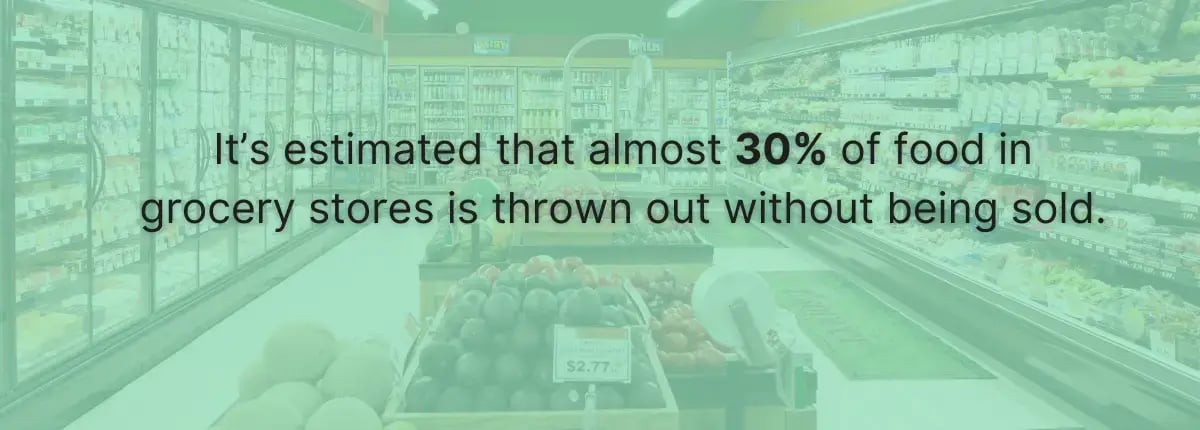
The U.S. Food and Drug Administration estimates that up to 30-40% of the food in American grocery stores goes to waste.
At a time when new tariffs, cost of living increases, and economic uncertainty are driving prices up, you have to act quickly. Grocery inventory management software helps grocers move from reactive to proactive by giving them added visibility and streamlining essential processes.
Grocery Store Inventory Management Software: Must-Have Features
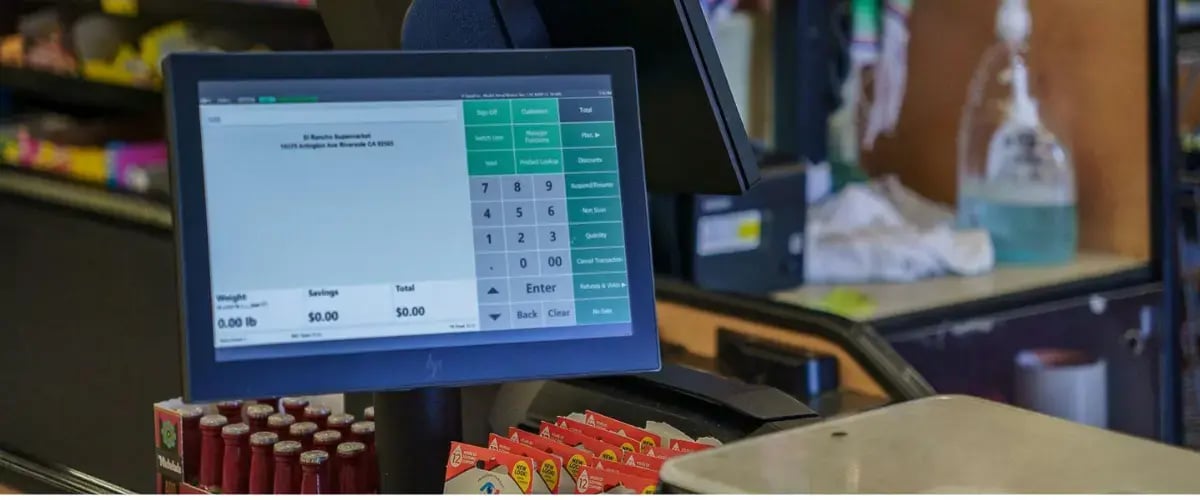
When evaluating grocery inventory management software, these are the features to look for:
- Unlimited and custom SKUs: Seamlessly track a wide variety of products and create custom product bundles as needed.
- Real-time tracking: Instantly update inventory in storage with automatic receiving and see current inventory levels every time a sale is made.
- Mobile scanning: Use mobile barcode scanners to make receiving inventory and performing cycle counts significantly faster and more accurate.
- Cloud-based: Manage inventory from wherever you are, eliminating the need to be on-site to make adjustments.
- Perishable inventory tracking: Track expiration dates directly in your system to avoid spoilage and waste.
- Reports and analytics: Instantly visualize your inventory turnover, shrinkage sources, profit margins, and other key metrics to improve decision-making.
- Vendor management: Manage your stock and vendor information in one system to streamline reorders.
Last, we highly recommend using grocery inventory management software that’s connected directly to your point of sale (POS) system. An all-in-one solution will reduce complexity and give you a more holistic view of store performance.
Related Read: How To Reduce Shrinkage: 5 Expert Tips for Grocery Stores
Top 5 Grocery Store Inventory Management Software
Without further ado, here are our top five picks for grocery store inventory software based on different business types, sizes, and needs.
1. IT Retail
IT Retail is our comprehensive solution for independent grocery stores and supermarkets. Backed by over 25 years of retail experience, we’ve tailored our POS and inventory management software to the unique needs of grocery stores, helping them to improve decision-making, reduce shrink, and cut costs.
Best for: Small to mid-sized grocery businesses
Standout Features
- Mobile inventory app: Add or change products, generate purchase orders, receive against an order, and more on your smartphone.
- Real-time inventory tracking: Get a comprehensive view of your stock levels, outstanding purchase orders, sales data, and more.
- Easy-to-use reports: Understand your inventory with dozens of pre-built reports to track inventory turnover, shrinkage sources, sales history, and more.
- Low stock alerts: Get an alert the minute you’re low on a certain item and generate a purchase order for the right amount based on your supplier lead times and sales history.
- E-commerce integration: Connect your in-store and online inventory to ensure stock levels are always accurate.
Our system is also backed up by a 24/7 support team.
Reviews
IT Retail currently has 4.7 stars on Trustpilot.
Pricing
Since we tailor our software toward small businesses, we offer flexible pricing tiers based on your size, hardware needs, and other factors.

2. Lightspeed POS
Based in Canada, Lightspeed offers powerful POS solutions for retailers in multiple industries. A highly scalable solution, Lightspeed provides multi-channel and franchise-level features that other systems on this list lack.
Best for: Larger grocery stores or chains
Standout Features
- Built-in supplier catalog: Browse different vendors, compare prices, and pre-load information directly into your system with Lightspeed’s built-in B2B catalog.
- Low-stock alerts: See when items are running low and quickly reorder with built-in vendor management.
- Multi-channel stock management: Manage your inventory across multiple locations, e-commerce, and more — all from one system.
- Advanced reporting: Get a 360-degree view of inventory performance across your various stores, and seamlessly transfer stock between locations.
Reviews
Lightspeed currently has 4.1 stars on Trustpilot.
Pricing
Lightspeed’s pricing starts at $89/month and includes one register.
3. Markt POS
Markt POS (spelled without the “E”) is another industry-specific solution tailored towards specialty food markets, butches, and single-register groceries. Markt POS offers many advanced inventory features in a cost-effective package.
Best for: Single register food markets, butchers, and specialty markets.
Standout Features
- Scale integrations: Seamlessly weigh out and price meat, produce, and other variable-weight products and track remaining weight in storage.
- QSR functions: Markt POS also includes order tracking features for grocerants, giving grocery stores with quick meals a comprehensive way to stack ingredients and the items on your shelves.
- Custom SKUs and barcodes: Create custom labels for products and track them the same as any other product.
- Advanced inventory tracking: See stock levels and sales data in real time to get an up-to-date view of inventory.
Reviews
Markt is relatively new to the market (no pun intended) so isn’t listed on Trustpilot but currently has a 5-star rating on google with 54 reviews.
Pricing
Markt POS offers custom pricing tiers based on your business needs.
4. Katana
Katana is a standalone inventory management solution that gives businesses full control and visibility over their stock. While not a comprehensive platform for transactions and other customer-facing features, Katana is an excellent fit for wholesalers and food suppliers who need precise metrics.
Best for: Wholesalers and food suppliers
Standout Features
- Tariff tracking: Calculate the impact of tariffs on your demand and bottom line to help you adjust pricing and future purchase orders.
- End-to-end visibility: Track products along the supply chain by batch, serial number, and more.
- Real-time inventory tracking: See the status of inventory in real time, including raw materials and finished goods.
- Multi-location management: View stock levels at different locations and execute inventory transfers.
Reviews
Katana currently has 4.6 stars on Capterra.
Pricing
Katana’s starter plan is $179/month when billed annually.
5. National Retail Solutions (NRS)
While not specifically built for grocery stores, National Retail Solutions (NRS) offers an easy-to-use solution for new business owners.
Best for: New businesses looking for a no-frills solution
Standout Features
- Stock level management: Categorize your products into three categories to see which items need reordering.
- Real-time inventory tracking: See your stock levels in real time with NRS’ accurate inventory tracking.
- Streamlined reordering: Automate your purchasing and reorders by setting a low stock threshold to avoid stockouts.
Reviews
NRS currently has 4.7 stars on Trustpilot.
Pricing
NRS plans start at $29.95/month if you use their in-house merchant services, or $49.95/month for a starter plan if you use a separate payment processor.
5 Tips for Better Grocery Store Inventory Management
Now that you know which features to look for in an inventory management system, let’s look at our top tips to ensure you make the most out of them.
Tip 1: Conduct Regular Audits
While a grocery store inventory management system goes a long way toward more accurate tracking, it’s still important to conduct periodic physical audits.
Get your staff to manually verify inventory quantities against what’s showing in the system. This catches errors and gaps caused by miscounted deliveries, unrecorded waste, or theft. It also keeps employees informed and engaged with your actual inventory.
Do inventory counts most frequently in departments with the most perishable inventory. This usually includes the following:
- Deli and meat
- Produce
- Dairy
- Bakery
Monitoring these departments closely also helps you spot storage issues that cause food waste.
Tip 2: Train Staff
Technology is only as effective as the people using it.
Your staff is on the front lines, receiving and counting inventory, and fielding questions from customers. Proper training ensures staff know how to use your inventory management software and the best practices they should follow.
Training topics include:
- Receiving and putting away procedures
- Hands-on experience with your inventory tracking tools
- Conducting manual inventory counts
- Protocols for identifying and processing stockouts, shortages, and low-stock reports
- Generating and analyzing key reports
- Item lookup and expiration tracking
Training should be ongoing. Employees get more value from your tools when they know how to use them effectively.
Related Read: 4 Strategies for Grocery Store Employee Management
Tip 3: Negotiate With Suppliers
Food prices are constantly changing. You shouldn’t feel forced to eat higher costs because you’re afraid to rock the boat.
Break down your sales, spoilage, and profits by supplier to identify gaps and spot opportunities.
You might find consistent sales, but notice that your minimum order quantity (MOQ) is so high that food goes bad before you can sell it. Or you notice a significant dip in profit margins after a supply chain shakeup.
On the other hand, your sales data might uncover opportunities. For example, let’s say you have a regional supplier that specializes in unique, locally-prepared goods. If you notice sales and profit margins are particularly high with that supplier, they might be more willing to give you sample shipments of new products or lower their prices.
Either way, unbiased data makes negotiation easier and less emotional. If an ask makes sense for both sides, there’s usually a deal to be made.
Tip 4: Reduce Shrinkage
We mentioned reducing shrinkage earlier, but it’s worth mentioning again. Get proactive!
Shrinkage has two primary sources: theft and spoilage.
To beef up your security, install visible cameras and put up shoplifting signs to avoid theft. Many would-be shoplifters think twice just because they’re being watched. To reduce employee theft, set employee access controls on your POS system so staff can only use features required for their job role.
However, the more common shrinkage source in grocery stores is food spoilage. Start simple. Train your staff on the first in, first out (FIFO) stocking method so they stock the oldest items out front.
Lean on your inventory management system. Identify shrinkage trends and strengthen controls in areas where shrinkage is high. If you see items that expire soon, quickly set up discounts and promotions to turn your short-dated inventory into sales.
Tip 5: Embrace Seasonality
Grocery shopping is inherently seasonal. There are some year-round staples, but most people buy different products at different times of year.
Understanding how customers’ behaviors change throughout the year is essential for meeting demand and capitalizing on seasonal trends.
An effective seasonal inventory strategy is also key to capitalizing on major holidays and events. Stock up on turkeys before Thanksgiving. Load the coolers with extra soda and beer ahead of the Super Bowl. Cater the summer cookout displays to beachgoers and vacationers. With the right planning, your store will become a go-to spot for seasonal favorites.
Similarly, look for items that naturally dip in sales during certain months so you can avoid overordering.
Simplify Your Day-to-Day With a Best-In-Class Inventory Management Solution
Optimizing inventory levels is the key to reducing overhead, avoiding stockouts, and keeping your customers happy. That’s why we’re shocked to see so many independent grocers still rely on spreadsheets, physical lists, and old systems.
Small grocery stores deserve better tools to stay competitive and give their customers the experiences they expect.
IT Retail was built on 25 years of grocery retail experience, taking the best and most effective features for simplifying your day-to-day processes and putting them all in a single, cost-effective package.
Schedule a customized demo with our grocery store experts today to see how IT Retail can transform your business.

With a degree in literature and media studies, Margaret brings writing expertise across B2B SaaS and grocery content management. Writing for IT Retail for more than 3 years, Margaret is passionate about helping small grocery store owners succeed.